CoachCanvas.
Developed with a teammate, CoachCanvas combines UX research, role-aware interface design and React Native implementation. The functional mobile prototype supports club and player workflows, event and match management, and lineup preparation, with Firebase Authentication and Firestore behind the experience.
Delivered
Designed and developed a functional mobile prototype with a teammate, including role-aware football club workflows and an Android release build.
- Scope
- Academic capstone
- Role
- UX/UI Designer · UX Researcher · Full-Stack Developer · Two-person MSc project
- Timeline
- 2025
01 / CONTEXT
Problem and response
Challenge
Grassroots football clubs often run on scattered WhatsApp threads, spreadsheets, informal approvals, and coach memory. That creates friction for onboarding, player management, and match preparation.
Response
CoachCanvas gives coaches and players role-specific flows, branded club spaces, join-code access, approval workflows, and state-aware navigation so each user lands in the right part of the club journey.
02 / CONTRIBUTION
My contribution
UI / UX
- +Explored the product problem and used user research to inform interface decisions.
- +Designed coach and player onboarding as separate guided flows.
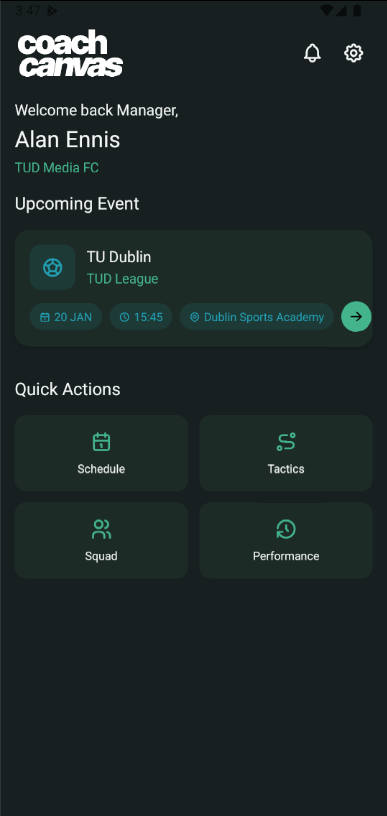
- +Created club identity, join-code, approval, and role-specific home experiences.
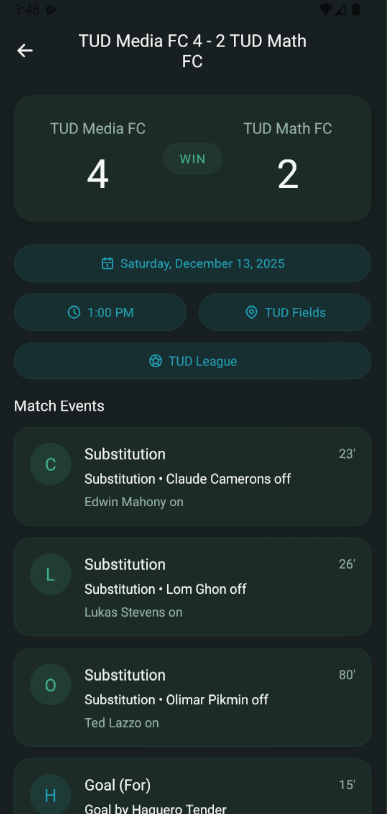
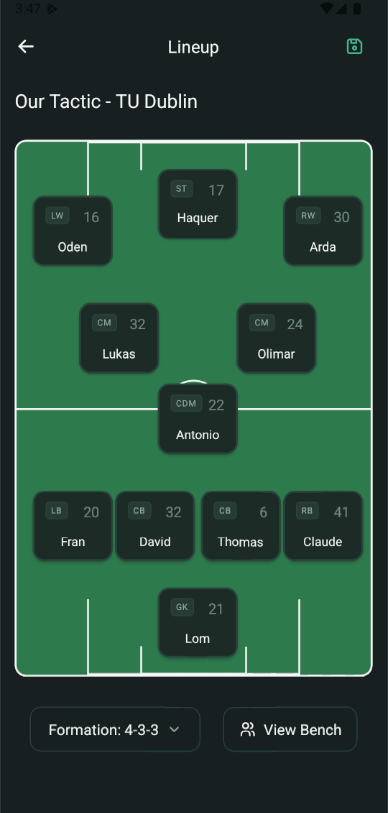
- +Designed mobile screens for squads, player profiles, match history, and formation planning.
Full-Stack Development
- +Built the Android app with React Native, TypeScript, and React Navigation.
- +Implemented Firebase Authentication, Firestore, and Firebase Storage workflows.
- +Prepared and debugged the Android release build pipeline.
03 / DECISIONS
How the system took shape
- 01
Designed onboarding as a guided sequence instead of a long form.
- 02
Used branded club previews to build trust before a player submits a join request.
- 03
Kept home screens role-specific so managers and players land on different priorities.
- 04
Built state-aware navigation with React Navigation so users always land in the correct flow.
- 05
Structured Firestore around users, clubs, players, and join requests to keep ownership boundaries clear.
- 06
Handled Android build, signing, and release APK debugging to move beyond prototype status.
Product context and reasoning
- Separated coach and player onboarding so each role only sees the decisions that matter to them.
- Mapped the app around user state: unauthenticated, profile incomplete, club owner, pending join request, approved player.
- Made club identity visible across the experience so a join code feels connected to a real team, not a generic form.
04 / PRODUCT
Selected interface
A focused view of the product states and workflows that carry the core experience.
05 / OUTCOME
Outcome and reflection
Delivered a functional mobile prototype and Android release build as a two-person MSc capstone. The work brought together research, role-aware UX, club and player workflows, event management and lineup preparation. Public app-store publication and organisational deployment are not established outcomes.
Testing focused on local clubs and university players. Long-term adoption and administrative time savings were not measured. Richer tactical editing, advanced analytics and multi-manager governance remained future work.
The biggest learning was that mobile product quality depends as much on state design as visual design. The app needed to understand where each user was in the club journey before any screen could feel simple.