Brightspace Pulse.
A research-led team UX concept exploring career tools within an existing learning platform. Owned the Resume Builder experience, from user flows and interface design to interactive prototyping and moderated usability testing.
Delivered
Delivered and tested an interactive Resume Builder prototype as part of a wider student career-growth concept.
- Scope
- University team UX project
- Role
- UX/UI Designer · UX Research Contributor · 3 designers
- Timeline
- 4 weeks · 2025
Brightspace Pulse supports coursework, deadlines and course updates. In a four-week university brief, a team of three explored adding career-development tools without replacing the app’s existing navigation and visual language. Portfolio and Connect were shared team scope; Resume Builder was my individual design responsibility.
01 / CONTEXT
Problem and response
Challenge
The team’s product review identified no integrated résumé builder or portfolio space in the Pulse experience they examined. Growth Hub explored whether career preparation could fit alongside coursework; this was a design opportunity, not a proven demand for a shipped feature.
Response
The team proposed Growth Hub, a new Brightspace Pulse section containing Portfolio, Resume Builder, and Connect. My focus was the Resume Builder, helping students create, customise, upload, preview, edit, and download CVs directly inside the app.
02 / CONTRIBUTION
My contribution
Research & Strategy
- +Participated in user research, market research, competitor analysis, and problem definition.
- +Contributed to the shared Growth Hub concept for portfolio, resume, and networking support.
- +Conducted moderated usability testing with TU Dublin students and reviewed participant feedback.
Resume Builder Design
- +Designed the complete Resume Builder experience from landing page to CV preview and download.
- +Created user flows, wireframes, high-fidelity mobile UI, and an interactive Figma prototype.
- +Extended Brightspace Pulse typography, buttons, forms, colour palette, and navigation patterns so the feature felt native.
03 / RESEARCH
Discovery and research
Discovery and product review
Research, market study and user study formed the discovery stage. The documented gap analysis identified reliance on Word, Canva or external websites for CV creation, alongside missing spaces for project portfolios and academic networking. These are the team’s recorded opportunity statements; the case study does not provide interview transcripts or a detailed competitor comparison.
From opportunity to a testable concept
The team proposed Portfolio, Resume Builder and Connect within Growth Hub. The assumption to test was that bringing these tools into a familiar student application would be useful and understandable. Later prototype feedback assessed that concept; it did not establish market demand.
04 / FLOW
From Growth Hub to Resume
An addition to the existing application
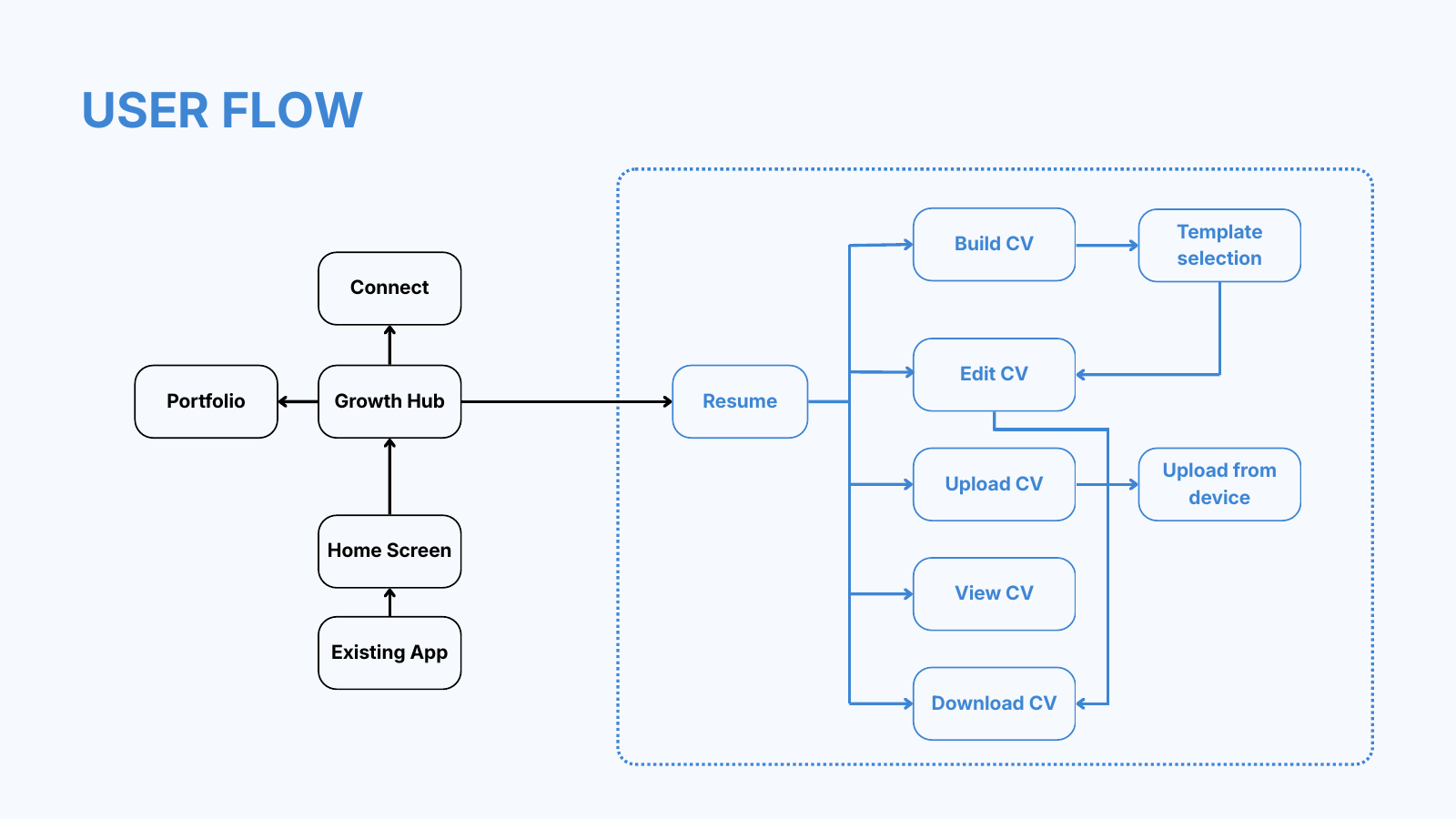
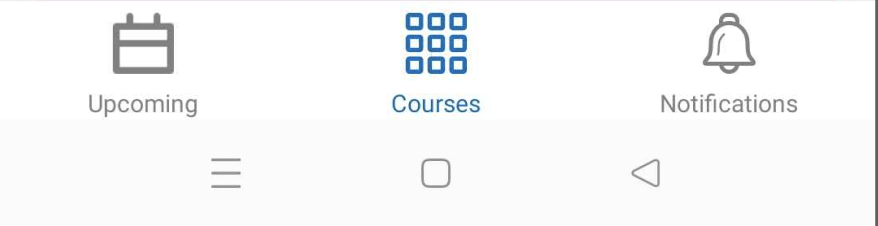
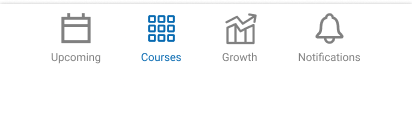
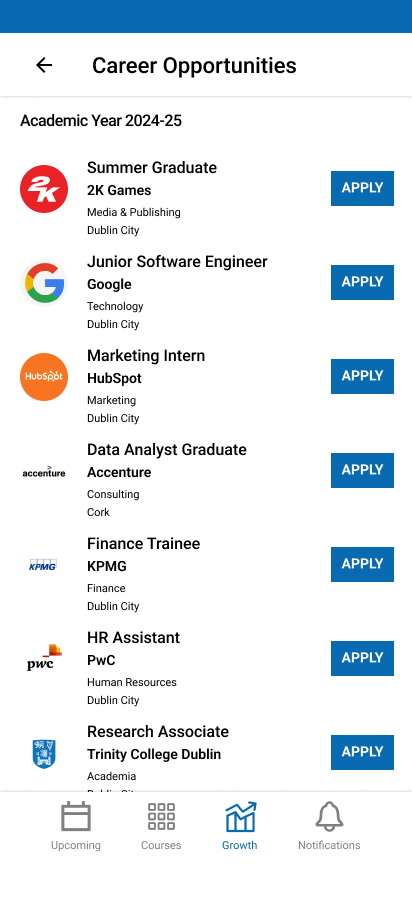
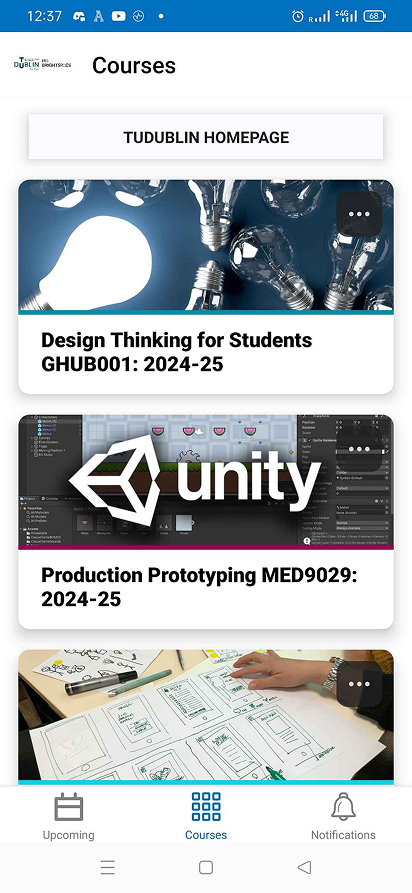
The documented flow places Growth Hub under the existing home experience, then branches into Portfolio, Resume and Connect. The navigation comparison adds Growth while retaining Upcoming, Courses and Notifications.
The Resume Builder path
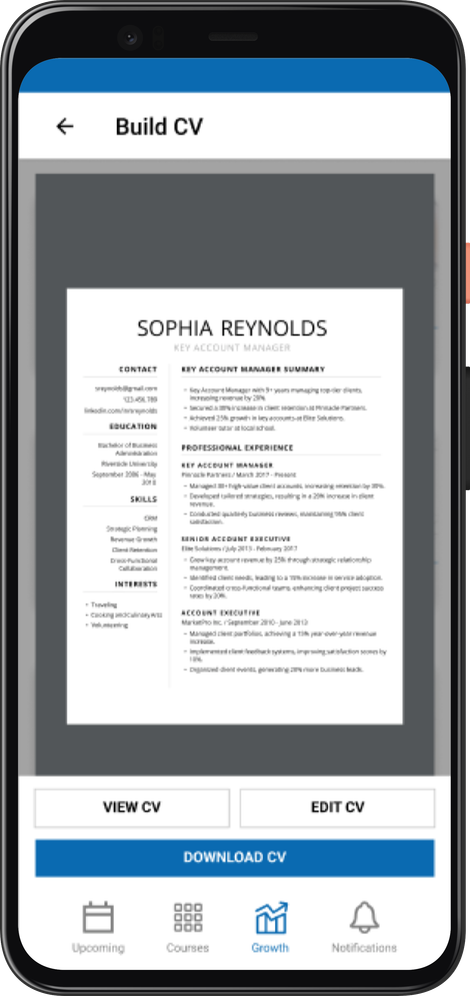
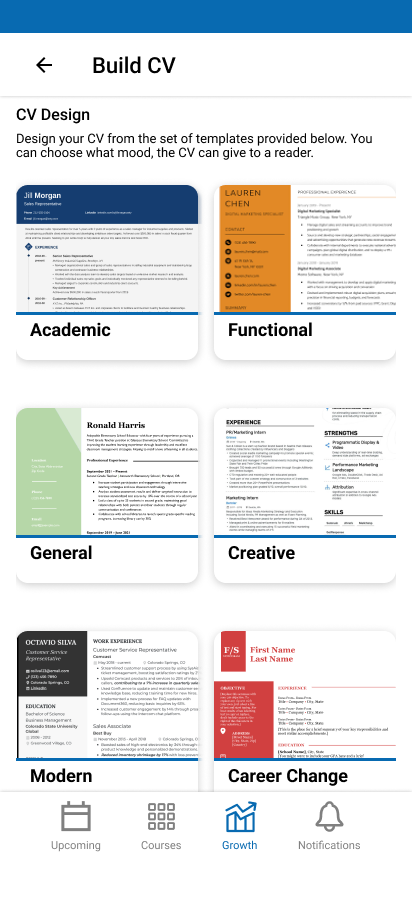
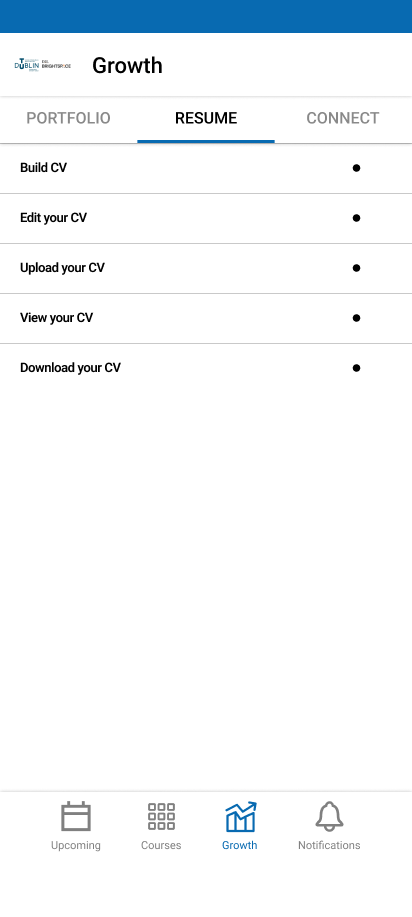
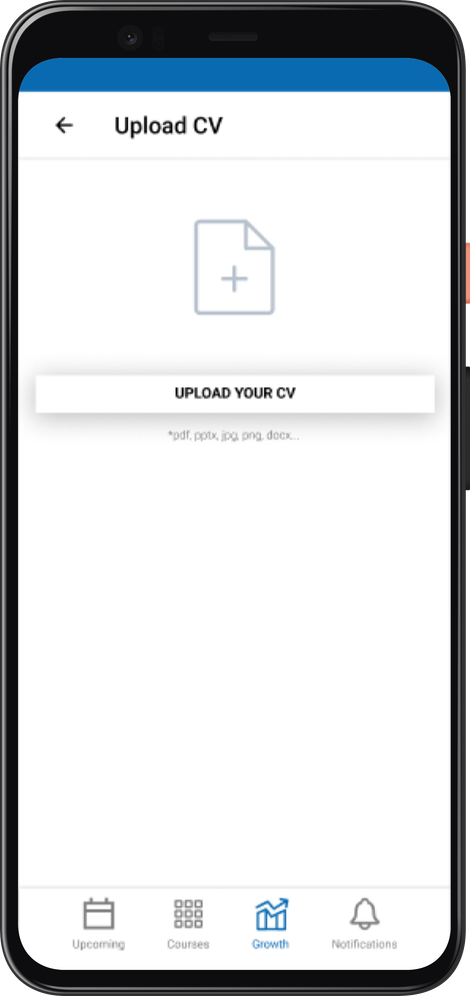
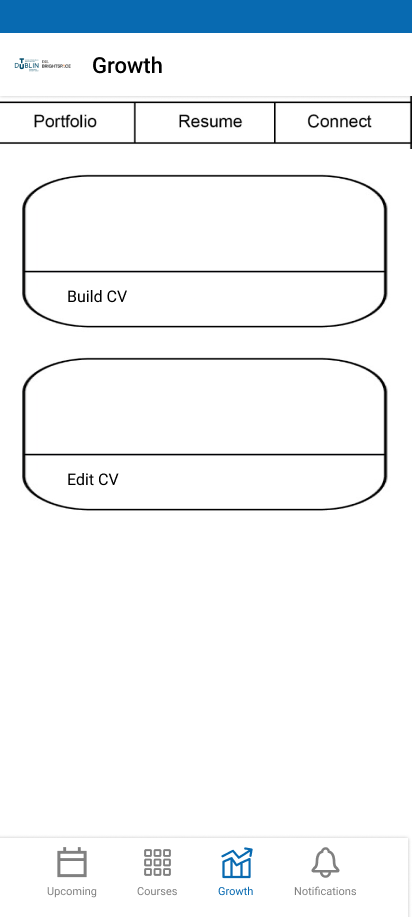
Within Resume, students can Build CV, Edit CV, Upload CV, View CV or Download CV. Build CV leads to template selection and personal details; Upload CV offers a separate entry point for an existing document. The finished preview exposes view, edit and download actions together.
05 / DECISIONS
How the system took shape
- 01
Offer both Build CV and Upload CV so students can start a new document or bring an existing one. The flow diagram and upload screen document these separate entry points.
- 02
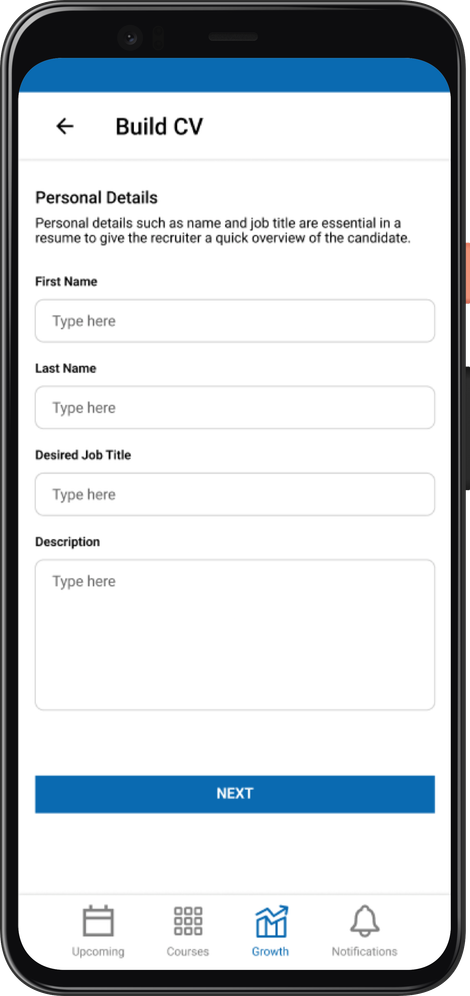
Show template choices before personal details, making the document style visible before asking students to enter their information.
- 03
Keep View CV, Edit CV and Download CV together on the preview so students can review the result and choose their next step.
- 04
Reuse Brightspace’s blue palette, Roboto typography, form styles and navigation structure. Familiar patterns were the design rationale for limiting the learning required by the extension; no reduction in learning time was measured.
Product context and reasoning
- Explored Brightspace Pulse as an existing student ecosystem rather than creating a separate career product.
- Defined Growth Hub around three career-support areas: Portfolio, Resume Builder, and Connect.
- Validated the proposed experience through moderated usability testing with TU Dublin students.
06 / PRODUCT
Selected interface
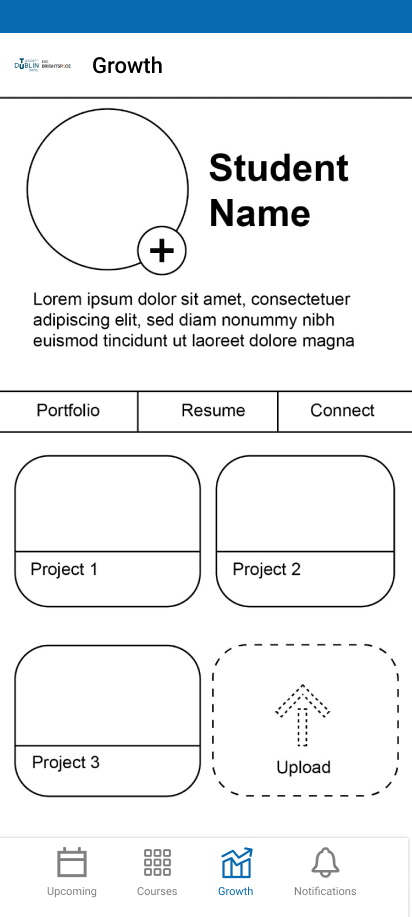
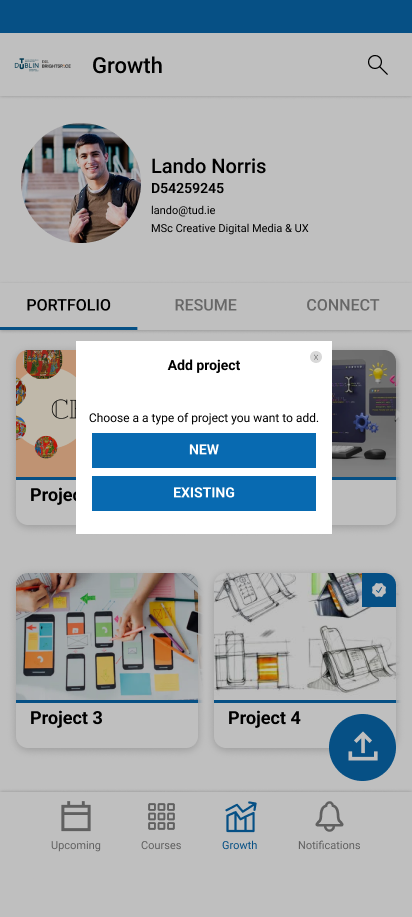
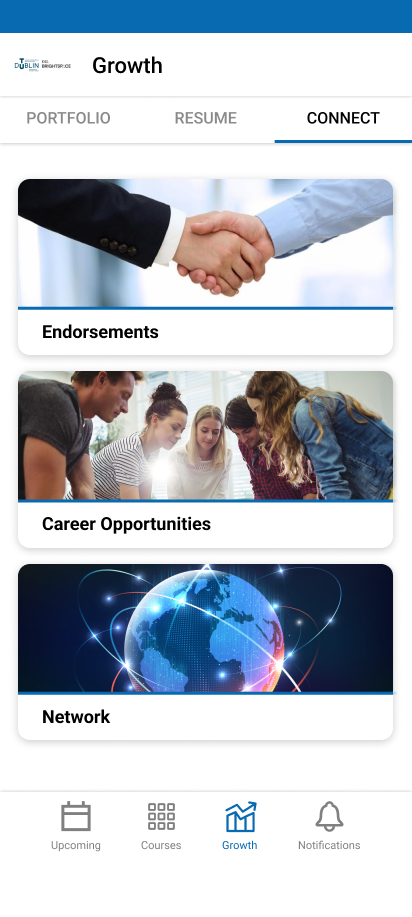
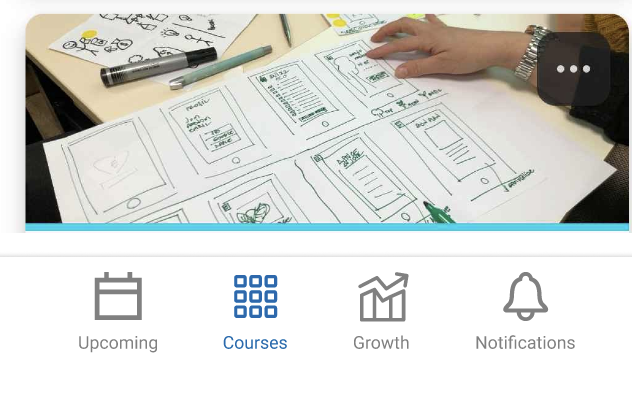
The Resume Builder screens show the individual feature ownership: preview, creation, template selection, entry actions and upload. The original user flow and navigation comparison explain how it fits into Growth Hub. Team features and exploratory sketches remain available below.
Supporting screens and process (7)
07 / TESTING
Testing the prototype
Method and tasks
Moderated sessions took place on the TU Dublin campus using a Figma prototype, followed by a survey. Participants first explored the interface, then chose one of the three feature areas. The response table records seven responses: four Build CV tasks, two View Project tasks and one Get Endorsed task.
What the feedback supports
Across all seven responses, navigation and UI design each received six ratings of 5/5 and one of 4/5. Among the four Build CV responses, task feasibility was rated 4, 5, 5 and 5; component findability was rated 5, 3, 4 and 4. These are self-reported ratings, not observed task-completion rates, and the overall results cover more than Resume Builder.
What remained uncertain
Usefulness and willingness to use the wider concept varied. The material does not record a detailed task script, qualitative comments or a traceable sequence of changes after testing. The lower component-findability ratings suggest a useful focus for a further test; they do not establish a specific design defect or a completed iteration.
08 / OUTCOME
Outcome and reflection
No application development was included in this project.
Deliverables focused on UX research, product strategy, user flows, wireframes, high-fidelity UI, interactive Figma prototyping, and usability testing.
Delivered an interactive Figma Resume Builder covering template selection, personal details, CV upload, preview, editing access and download access within the team’s Growth Hub concept. Moderated sessions and survey feedback tested the prototype; no production application, Brightspace adoption or commercial launch is claimed.
Extending an existing product meant balancing a new career workflow with familiar navigation and interface patterns. The testing also highlighted the difference between favourable interface ratings and evidence that a feature meets a sustained need. A next round would examine component findability and document the resulting design changes.